

Automation, diagnostics, backup, and recovery
PosterPilot keeps routine work durable and review-first. Sync, discovery, retry, and confirmed apply operations run as persisted jobs; schedules can populate review work but do not auto-apply artwork.
Durable jobs
Section titled “Durable jobs”The Dashboard shows queued, running, retry-scheduled, and terminal jobs with live progress. A page reload or navigation does not cancel work. Equivalent active jobs are reused, while overlapping mutations are rejected with a link or identifier for the conflicting job.
Each job retains its server and library scope, immutable inputs, attempts, result summary, and sanitized per-target failures. On process restart, safe queued work is resumed. A non-idempotent artwork mutation interrupted mid-write is left for review rather than replayed blindly.
Use Cancel to request cancellation. Work already committed remains recorded. For a partial failure, Retry failed creates linked work for retryable failures only. Permanent validation, credentials, or stale-plan failures require correction and a new preview.
Review-first automations
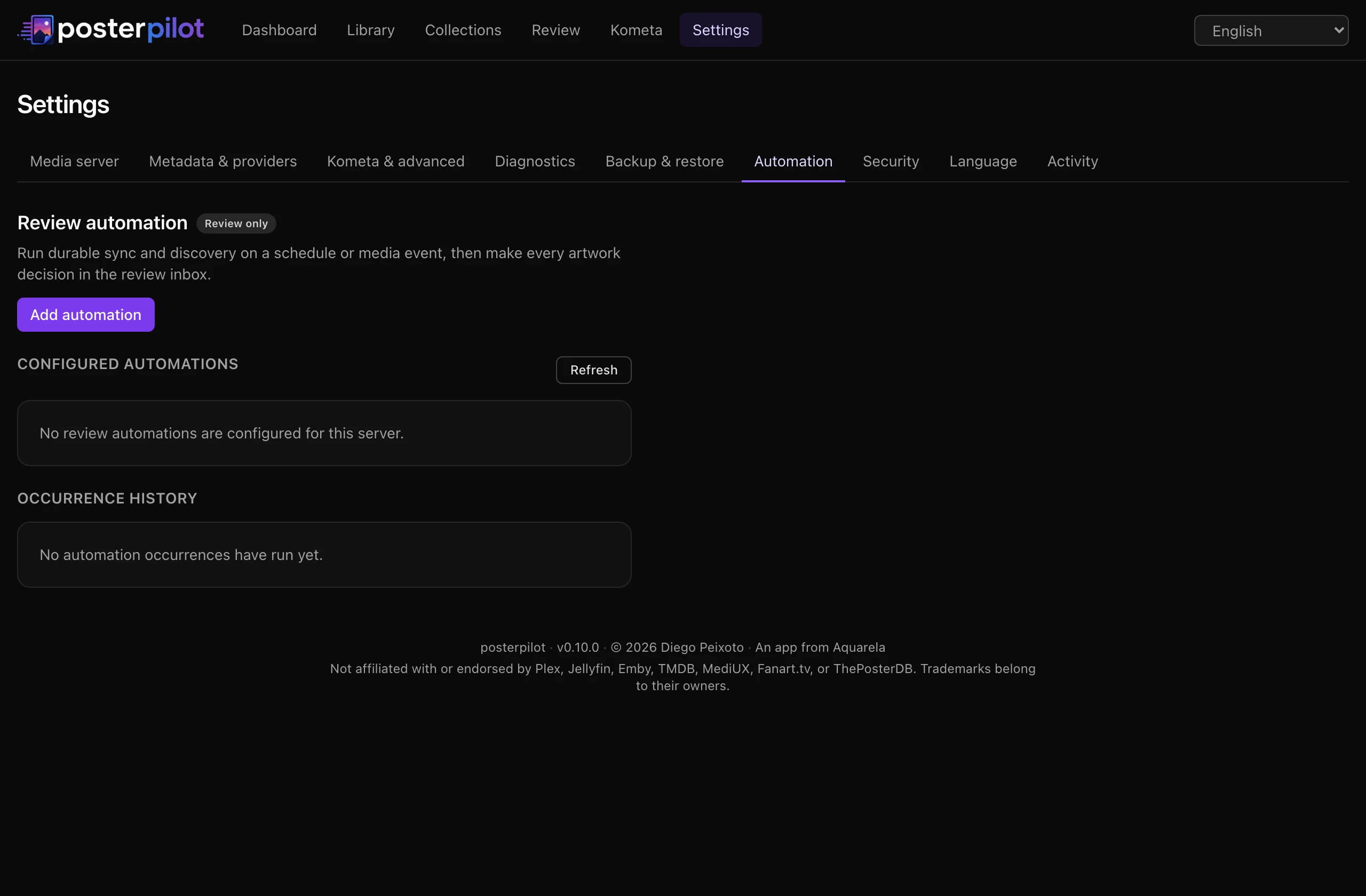
Section titled “Review-first automations”Open Settings → Automation and create a named automation for the active server. Choose:
- one or more libraries;
- an interval, a daily local time, or an event trigger (
new itemsorsync completed); - an IANA timezone for scheduled occurrences;
- Sync or Sync and discover;
- an optional saved review view;
- a catch-up window and consecutive-failure pause threshold.
The default action is sync_discover. Every occurrence freezes its inputs and
creates or reuses one durable job. Editing a schedule affects future occurrences,
not work already queued. If the service restarts inside the catch-up window, one
missed logical occurrence is enqueued; duplicate deliveries are coalesced.
Automations are review-only. They synchronize and optionally discover candidates, then leave decisions in Review. They do not create apply jobs.
Webhook trigger
Section titled “Webhook trigger”For an automation, generate a webhook credential in Settings. PosterPilot displays
the endpoint and token once. Send the token in
X-PosterPilot-Webhook-Token. Rotating invalidates the previous token; disabling
removes it. Treat the token as a secret and do not put it in a URL or log.
Diagnose before retrying
Section titled “Diagnose before retrying”Open Settings → Diagnostics to run independent, non-mutating checks for every named server, TMDB, artwork providers, Kometa paths, the data directory, and backup storage. Results distinguish unavailable services, missing or rejected credentials, timeouts, and read/write path problems; server capability checks show which artwork operations are supported.
The latest result and last success survive restart. A provider outage may leave last-known-good candidates marked stale; a successful empty response later clears that provider’s old candidates.
You can explicitly export a redacted support bundle. Titles are omitted unless you opt in. If an optional entry cannot be proven safe, it is omitted and noted in the manifest.
Application backups
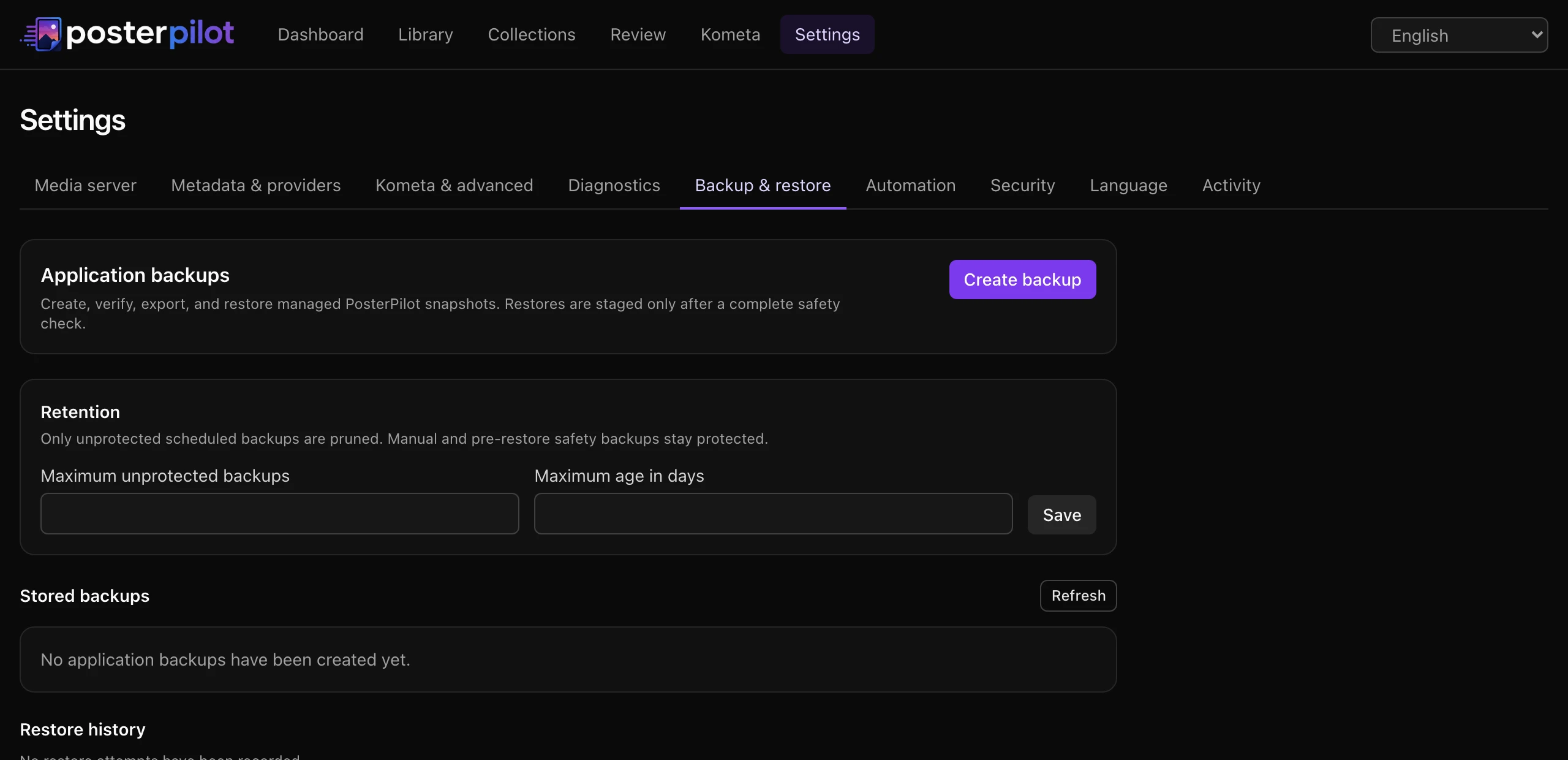
Section titled “Application backups”Open Settings → Backup & restore and select Create backup. PosterPilot makes a consistent SQLite snapshot and stores an application-managed bundle under the data directory. The manifest includes checksums, schema/app versions, key mode, and external path references. It does not copy your media server or externally mounted Kometa content.
Backups using the generated .app-key include that key. In APP_SECRET mode, the
secret is never included; restore requires the same effective APP_SECRET.
You can validate, export, or delete a bundle. Export requires a separate warning acknowledgement because a bundle can contain credentials and key material. Retention by maximum count and/or age applies only to unprotected valid bundles; manual and pre-restore safety backups are protected by default.
Restore workflow
Section titled “Restore workflow”- Select Preview restore for a validated bundle.
- Review checksum, SQLite integrity, schema compatibility, required migrations, disk space, key compatibility, and external-path warnings.
- Acknowledge the replacement scope and confirm the unchanged plan.
- PosterPilot enters maintenance mode, blocks new mutations, drains active mutating jobs, creates a protected safety backup, and prepares a restart marker.
- Restart the container. The database/key replacement happens before libsql opens.
- Review the readiness report. If replacement or migration fails, PosterPilot rolls back to the safety backup.
External server/provider unavailability is a warning when local integrity is sound; checksum, database, newer-schema, path, or key incompatibility is blocking.
See Safety, verification, and undo for mutation guarantees and Multi-server migration for upgrade checks.
PosterPilot is an independent project, not affiliated with or endorsed by Plex, Jellyfin, Emby, MediUX, Fanart.tv, TMDB, ThePosterDB, or Kometa. Trademarks belong to their respective owners. This product uses the TMDB API but is not endorsed or certified by TMDB.